 Fixated on Home
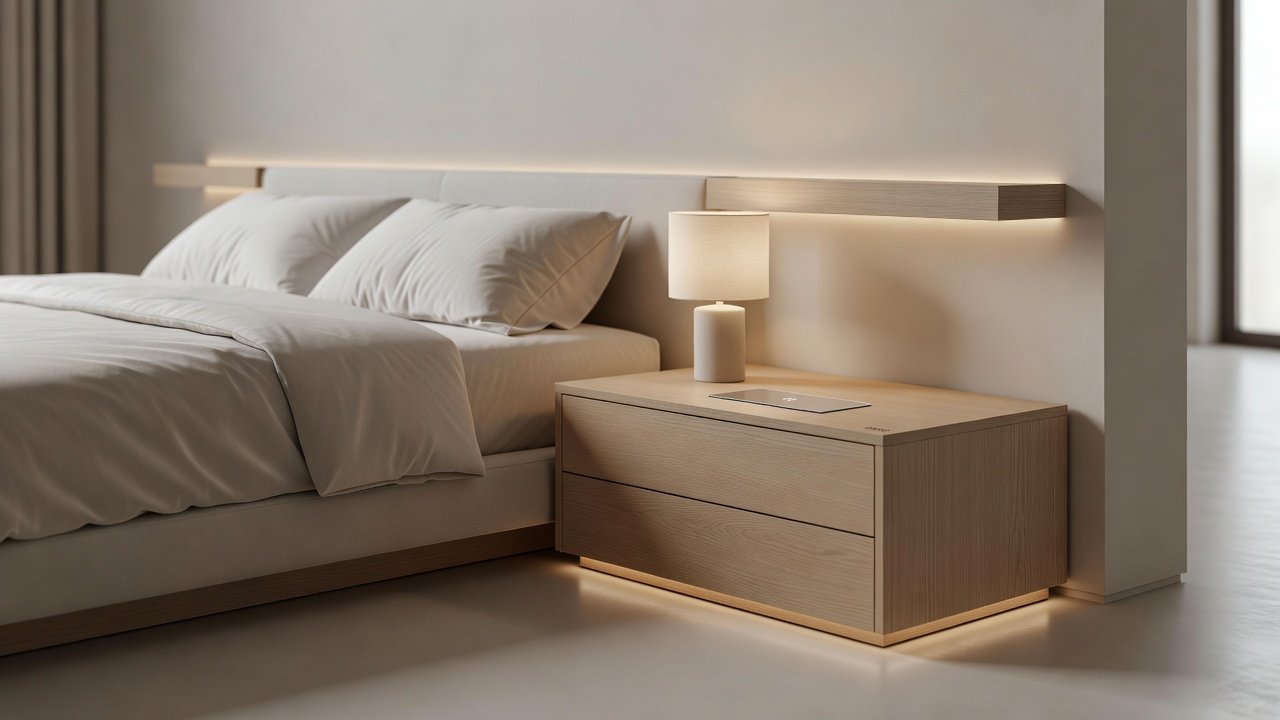
Introduction to Wireless Charging in Modern Bedrooms
In 2026, homeowners are prioritizing seamless technology integration that enhances both functionality and aesthetics. Adding wireless charging stations to bedroom furniture eliminates tangled cables while supporting the growing demand for cable-free living. This upgrade aligns perfectly with smart home trends, offering convenience for charging smartphones, earbuds, and wearables overnight. Wireless charging has evolved to blend effortlessly into nightstands, headboards, and bedside tables. By focusing on energy efficiency and clean design, these installations reduce clutter and promote a restful environment. Whether renovating an existing space or building new, this guide covers everything needed for successful implementation, from material selection to long-term maintenance.
The appeal of wireless charging extends beyond convenience. It supports a minimalist aesthetic that many modern homeowners crave, removing visible cords that can make a bedroom feel cluttered. As device usage continues to rise, having reliable charging points built into furniture becomes essential for daily routines. This article explores practical methods, comparisons, and real-world applications to help you achieve a polished result.
Selecting Compatible Furniture for Wireless Charging
Choosing the right furniture is the foundation of any wireless charging project. Opt for pieces with flat, non-metallic surfaces at least 8mm thick to accommodate charging pads. Popular options include solid wood or laminate nightstands designed with hidden compartments for receivers. Consider the overall dimensions of your room and how the furniture interacts with your bed layout. For example, taller nightstands may require angled charging surfaces to prevent devices from sliding off during the night.
Look for modular furniture lines from major retailers that support aftermarket Qi integration. Materials matter greatly—avoid thick metal frames or heavily lacquered finishes that can interfere with signal transmission. Real-home examples show success with floating nightstands in small urban apartments and built-in headboard units in spacious master suites. Always measure twice before purchasing to ensure the surface area allows for multiple devices if needed.
Qi vs MagSafe: Comparing Wireless Charging Standards
Two primary standards dominate the market: Qi and MagSafe. Qi technology, supported by the Wireless Power Consortium, works with most Android devices and offers flexible placement within a charging zone. It delivers up to 15W charging speeds in newer models. MagSafe, Apple's proprietary system, uses magnetic alignment for precise positioning and faster charging on iPhones, reaching 25W in some cases. Visit the Wireless Power Consortium for official Qi specifications.
For mixed-device households, dual-standard pads combining both are ideal. Comparisons reveal Qi's broader compatibility versus MagSafe's superior alignment and speed for Apple users. When selecting between them, evaluate your primary devices and consider future-proofing for new releases. Some pads now support both standards simultaneously, reducing the need for multiple units.
Step-by-Step Installation for Nightstands
Installing a wireless charger in a nightstand requires basic tools and safety precautions. First, select a pad rated for your furniture thickness. Mark the position on the underside, drill a small access hole for wiring if needed, and secure the pad with adhesive or screws. Power off the circuit and test surface flatness before beginning. Route the power cable through existing furniture channels or add discreet grommets. Connect to a hidden outlet or use a low-profile extension. Test charging speed and heat levels before final assembly. Always prioritize UL-certified components to avoid overheating risks.
- Prepare your workspace by clearing the area and gathering tools like a drill, measuring tape, and cable ties.
- Position the charging pad centrally on the surface for easy access from the bed.
- Secure wiring neatly along the back or inside the furniture to maintain a clean look.
- Verify compatibility with your devices by placing them in different orientations.
This methodical approach ensures durability and prevents common installation errors.
Integrating Chargers into Headboards
Headboard installations offer a sleek, elevated charging experience. Embed pads behind fabric or wood panels at shoulder height. Use flexible Qi receivers or magnetic mounts for stability. Professional carpenters often route wiring through the bed frame to a floor outlet. This method keeps surfaces pristine and supports multiple devices simultaneously in king or queen setups. 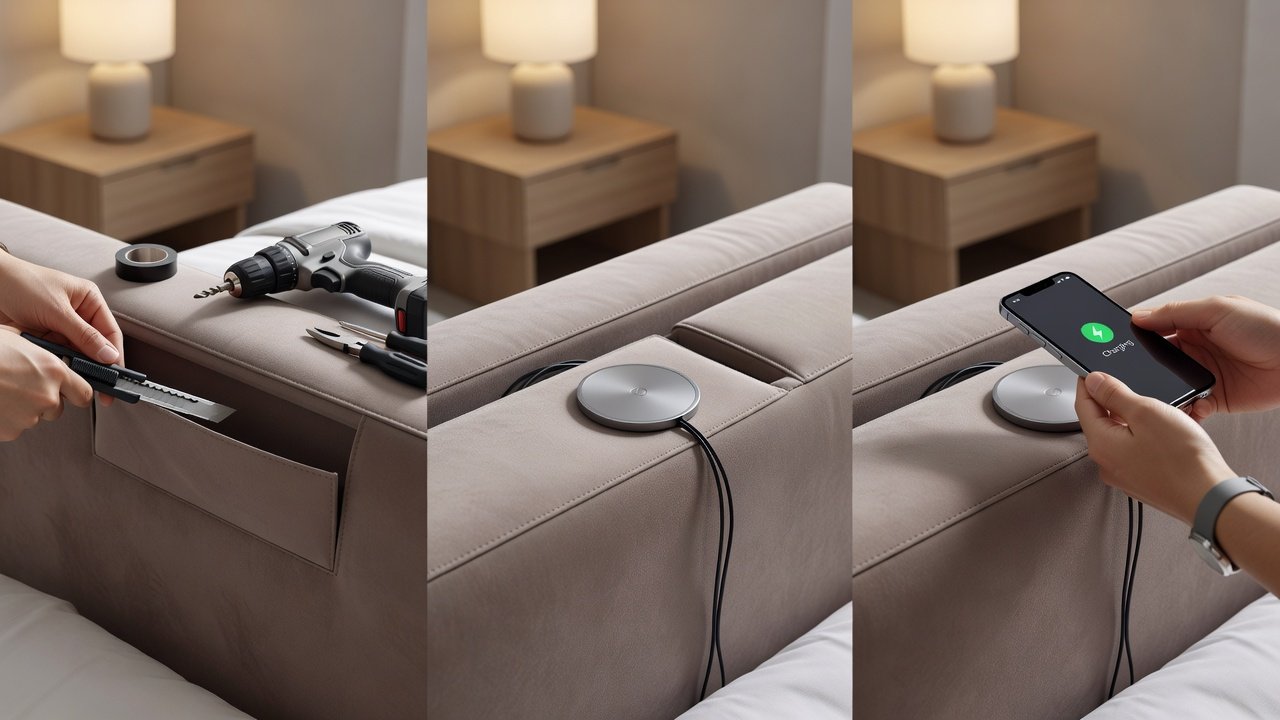
Consider the fabric type—breathable materials work best to dissipate any minor heat generated during charging. In upholstered headboards, recessed pockets can hide the technology completely while still allowing effective power transfer.
Real-Home Examples Across Layouts
In compact studio apartments, a single nightstand charger serves dual purposes for bedside and desk use. Larger homes feature symmetrical charging on both sides of the bed plus a headboard panel for tablets. These setups emphasize minimalism, with hidden power sources maintaining visual calm. One family in a suburban home integrated charging into custom-built nightstands flanking a platform bed, resulting in a streamlined space that accommodates both adults and children’s devices. Another example involves a loft-style bedroom where wireless pads were added to floating shelves, freeing up floor space entirely.
Energy Efficiency and Safety Considerations
Modern wireless chargers consume minimal standby power, often under 0.5W when idle. Pair them with smart plugs for scheduled charging to maximize savings. Safety features like foreign object detection prevent issues with metal items. Review IEEE standards on wireless power transfer for deeper technical insights. Always monitor for excessive heat during the first few uses and ensure ventilation around the charging area. Energy-efficient models help reduce overall household electricity use while maintaining performance.
Mistakes to Avoid During Installation
- Skipping surface testing, which can lead to poor charging efficiency.
- Using non-certified pads that may overheat or damage devices.
- Ignoring cable management, resulting in visible wires that defeat the minimalist goal.
- Placing chargers too close to metal objects that interfere with the magnetic field.
Frequently Asked Questions
- Does wireless charging work through thick furniture? Yes, up to 20mm with appropriate pads.
- Is it safe near bedding? Certified units include temperature controls for peace of mind.
- Can I retrofit existing furniture? Most flat surfaces allow easy aftermarket additions.
- How does it impact device battery health? Modern systems include optimization to prevent overcharging.
- What about multi-device charging? Dual or triple pads handle phones, watches, and earbuds together.
Conclusion
Integrating wireless charging stations transforms bedrooms into efficient, modern sanctuaries. By following these steps, comparisons, and real-home examples, homeowners achieve cable-free convenience without sacrificing style. Start with compatible furniture and expand based on device needs for lasting results that enhance both daily life and home value.


No comments yet. Be the first!