 Fixated on Home
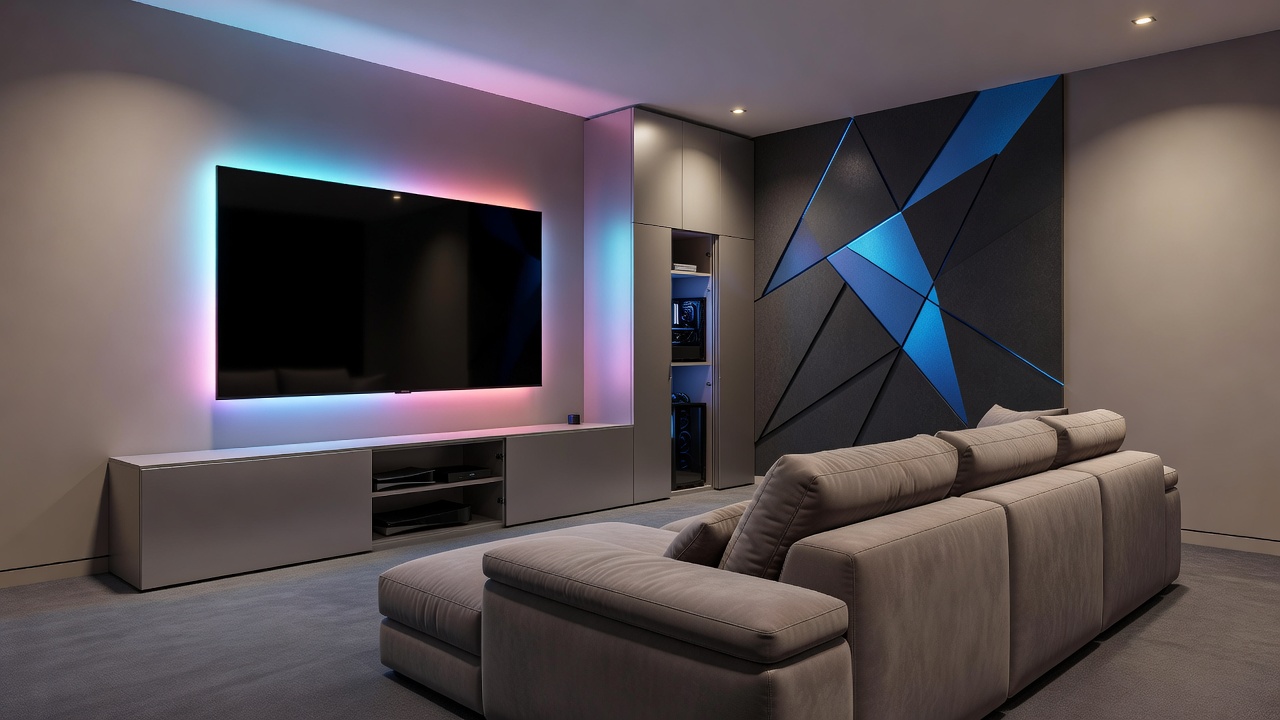
Living Room Design for Gamers: 2026 Home Decor Remodeling Tips
Creating a living room that supports immersive gaming while remaining stylish and functional is a top priority for many homeowners in 2026. This comprehensive guide walks you through practical remodeling steps that blend entertainment needs with everyday living, focusing on ergonomic choices, seamless tech integration, versatile layouts, and sustainable materials that stand the test of time. Whether you have a compact apartment or a spacious family home, these strategies ensure your space enhances gameplay without compromising on comfort or aesthetics for daily use.
Understanding 2026 Interior Trends for Gamer Spaces
Modern gaming setups now emphasize sustainability, modular furniture, and smart lighting that adapts to both play sessions and family time. Neutral palettes with bold accent walls allow gaming gear to blend into the decor rather than dominate it. Homeowners are prioritizing multi-functional zones that transition from work or relaxation to intense gameplay without major rearrangements. In 2026, trends favor biophilic elements like indoor plants integrated near setups to improve air quality during long sessions, alongside recycled materials in furniture construction. For example, a popular approach involves using modular wall panels that double as acoustic treatments to reduce echo from surround sound systems while adding visual texture.
Another key trend is the rise of adaptable color schemes. Instead of dark, cave-like rooms, designers recommend layered neutrals with pops of vibrant RGB accents that can be toggled off for non-gaming hours. This creates a versatile environment suitable for hosting guests or relaxing with family. Research from leading design resources shows that such flexible spaces increase overall home usability by allowing the same room to serve multiple purposes throughout the day.
Selecting Ergonomic Furniture for Long Gaming Sessions
Comfort starts with supportive seating that maintains posture during extended play. Look for chairs with adjustable lumbar support, breathable materials like mesh or performance fabric, and swivel bases for easy movement between screens. Modular sofas with built-in storage offer seating for guests while hiding controllers and accessories. Pair these with height-adjustable coffee tables that double as monitor stands or snack surfaces. When choosing pieces, consider weight capacity and recline options that support both upright focus and relaxed viewing modes.
Practical examples include selecting a sectional with power recliners and USB ports integrated into the arms, which eliminates the need for extra side tables cluttered with chargers. For families, opt for stain-resistant upholstery that withstands spills from snacks during marathon sessions. Compare options by testing in-store for seat depth and back height to match your body type, ensuring the furniture supports 4-6 hours of continuous use without fatigue. Avoid overly bulky pieces in smaller rooms, as they can restrict movement and make the space feel cramped.
Integrating Hidden Tech Without Sacrificing Style
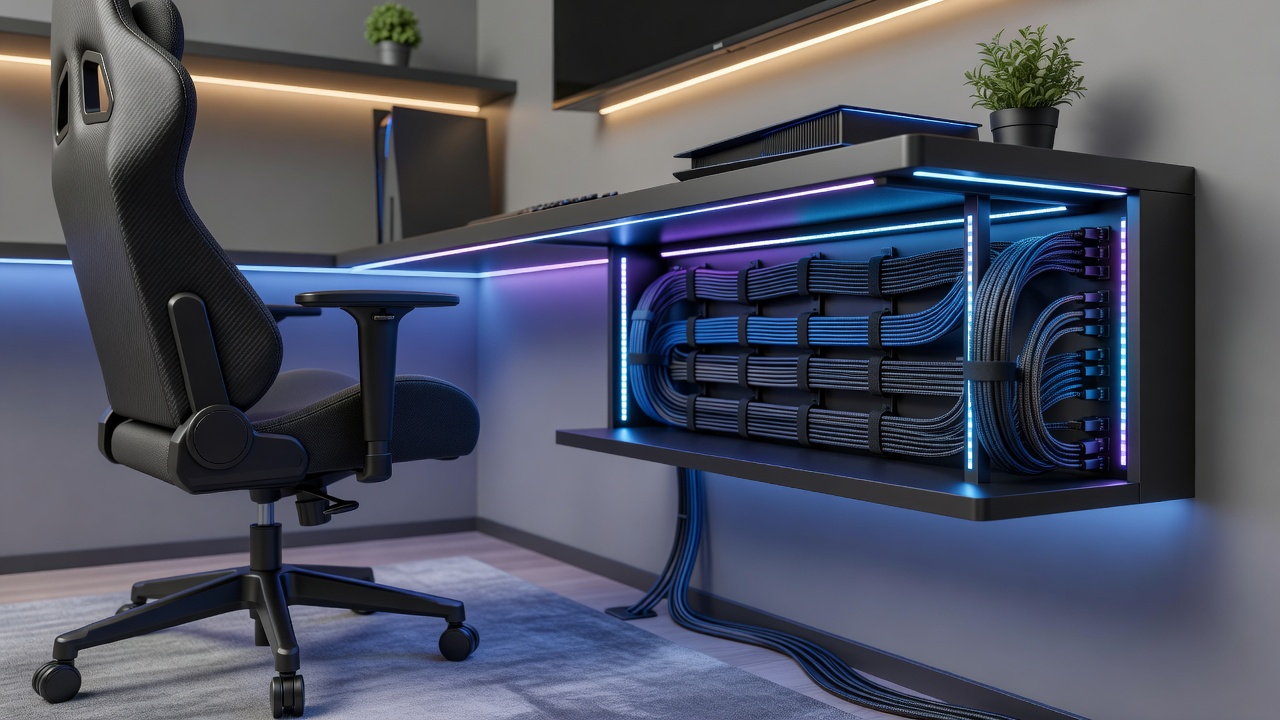
Conceal consoles, routers, and wiring behind custom cabinetry or floating shelves with rear access panels. Wall-mounted TV units with hidden compartments keep surfaces clear. Use wireless charging stations integrated into side tables to reduce visible cords. These choices maintain a clean aesthetic while ensuring quick access during sessions. For instance, install a media console with ventilated doors and internal cable channels that route power and HDMI lines directly to wall outlets, preventing overheating while keeping everything out of sight.
Advanced integration might involve smart furniture with built-in compartments for streaming devices and gaming PCs. Position these units at eye level for monitors to reduce neck strain. Homeowners often incorporate sliding panels or tambour doors that reveal tech only when needed, preserving the living room's elegant appearance during non-gaming periods. This approach not only declutters but also protects equipment from dust and accidental damage.
Ambient Lighting Strategies to Enhance Gameplay
Layered lighting creates mood without eye strain. Install bias lighting behind screens to reduce contrast fatigue, and use smart bulbs that shift from cool tones during competitive play to warm hues for movie nights. Under-cabinet LED strips and floor lamps with dimmers provide flexibility. Position lights to avoid glare on monitors while highlighting architectural features. Consider adding cove lighting along ceilings for indirect illumination that sets the scene for immersive experiences without harsh shadows.
Examples of effective setups include pairing a main overhead fixture with programmable LED strips along baseboards that sync with game audio for dynamic effects. In practice, test lighting levels at different times of day to ensure consistency, and incorporate motion sensors for automatic adjustments when entering the room. This layered method supports both high-energy gaming and cozy evening relaxation, making the space truly multi-purpose.
Step-by-Step Cable Management Guide
- Assess all device locations and plan routes along baseboards or under rugs to minimize trip hazards.
- Use cord covers, adhesive clips, and in-wall conduits for permanent solutions that blend seamlessly with walls.
- Label cables at both ends for easy troubleshooting during upgrades or repairs.
- Incorporate power strips with surge protection and USB ports into furniture bases or hidden drawers.
- Schedule quarterly checks to prevent dust buildup and tangled wires, replacing any worn components promptly.
- For advanced setups, employ cable raceways painted to match your walls and bundle similar cords together with Velcro ties for organized routing.
Real-world application might involve running cables through existing floor channels in older homes or using wireless alternatives where possible to cut down on physical management needs altogether.
Multi-Use Layout Ideas for Compact and Spacious Rooms
In smaller spaces around 10 by 12 feet, position the main seating against one wall with a fold-down desk opposite for dual-purpose use as a workspace or dining area. Floating shelves above the TV maximize vertical storage without eating into floor space. For larger rooms measuring 20 by 15 feet or more, divide the area with a console table that separates the gaming zone from conversation seating, creating distinct yet connected areas. Both setups benefit from wheeled furniture that allows quick reconfiguration for parties or movie nights.
Practical comparisons show that compact layouts thrive with vertical emphasis and minimal footprints, while spacious ones can incorporate statement pieces like large sectional sofas and dedicated gaming nooks with their own lighting zones. Always measure your room twice before purchasing to ensure traffic flow remains unobstructed.
Budget-Friendly Upgrades and Material Recommendations
Start with affordable swaps like peel-and-stick wallpaper for accent walls or area rugs to define zones. Choose durable, easy-clean fabrics such as performance velvet or recycled polyester for upholstery that resists wear from frequent use. For flooring, opt for engineered hardwood with scratch-resistant finishes that withstand chair movement and daily foot traffic. These materials balance longevity with visual appeal, supporting a polished look that lasts.
Additional examples include adding acoustic panels disguised as art for sound control on a budget, or upgrading to modular storage cubes that organize gear affordably. Focus on high-impact, low-cost changes first, such as LED strip kits and cable management kits, before investing in larger furniture pieces. This phased approach allows gradual improvements tailored to your needs and timeline.
Common Mistakes to Avoid in Gamer Living Room Remodels
- Overloading outlets without proper surge protection, leading to safety risks during extended use.
- Ignoring ventilation for hidden tech, which can cause overheating and equipment failure.
- Selecting furniture without testing ergonomics, resulting in discomfort during long sessions.
- Neglecting natural light control, causing glare issues on screens during daytime play.
FAQ: Common Remodeling Challenges
How do I hide gaming consoles in a family living room?
Use ventilated media cabinets with doors that match your existing decor. Ensure airflow to prevent overheating while keeping devices accessible for quick swaps or maintenance.
What lighting works best for both gaming and daily use?
Smart LED systems with app control allow preset scenes for different activities, providing versatility without multiple fixtures and enabling voice commands for hands-free adjustments.
Can small rooms accommodate full gaming setups?
Yes, by focusing on vertical solutions and compact ergonomic pieces that serve multiple functions throughout the day, turning limitations into opportunities for creative storage.
What materials best withstand heavy gaming use?
Performance fabrics and reinforced frames hold up well, resisting stains and maintaining structure even with daily reclining and movement.
Conclusion
Thoughtful planning transforms any living room into a gamer-friendly haven that feels welcoming for all household members. By combining ergonomic furniture, discreet tech integration, adaptable lighting, and smart layouts, you achieve a space that supports both high-performance play and relaxed living in 2026 and beyond. Explore options from IKEA for modular pieces, review ergonomic guidelines from OSHA, and check energy-efficient lighting tips at Energy.gov to ensure long-term comfort and sustainability.
No comments yet. Be the first!