 Fixated on Home
Introduction to Cinematic Living Room Design in 2026
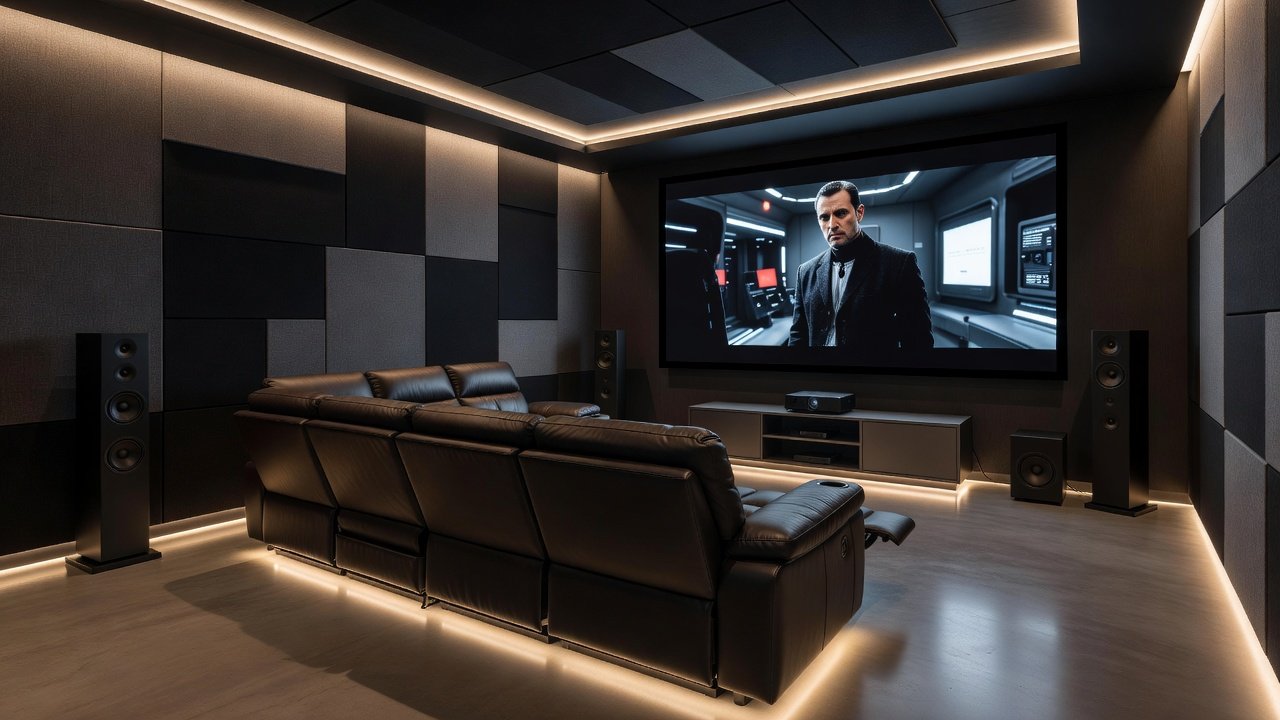
Movie enthusiasts often dream of a dedicated home theater, yet many prefer integrating cinematic elements directly into their existing living spaces. In 2026, trends emphasize functional yet immersive designs that blend seamlessly with everyday use. This guide covers practical upgrades like projector installations, audio configurations, and seating layouts, focusing on search intent for affordable, no-renovation solutions that deliver professional-grade experiences at home.
Homeowners today seek ways to enjoy blockbuster films without sacrificing the room's versatility for gatherings or relaxation. By prioritizing modular components and subtle modifications, you can create an environment where every viewing session feels like a trip to the cinema. Key 2026 influences include energy-efficient devices, voice-controlled ecosystems, and sustainable materials that align with modern lifestyles while reducing environmental impact.
Selecting the Ideal Projector Setup
Projectors remain central to living room theaters due to their large screen capabilities. Opt for short-throw models that project from nearby surfaces to minimize room disruption. Position the unit on a low console or ceiling mount for optimal viewing angles. Ensure the throw distance matches your wall space, typically 8 to 12 feet for 100-inch images. Consider laser light sources for brighter, longer-lasting performance in ambient light conditions common in multi-use rooms. For example, in a standard 12-by-15-foot living area, a short-throw projector mounted 6 feet from the wall can deliver crisp 120-inch visuals without needing to rearrange furniture extensively.
Calibration is key. Adjust keystone correction and focus to achieve sharp edges without distortion. Pair with a matte white screen or painted wall for better contrast. This setup allows quick transitions from family movie nights to casual TV viewing. Additional tips include testing for fan noise levels during operation and incorporating dust filters for longevity. If your room has high ceilings, consider recessed mounting options that preserve the aesthetic flow.
Optimizing Sound Systems for Immersive Audio
Audio quality elevates the experience beyond visuals. Start with a 5.1 or 7.1 surround system featuring front, center, rear, and subwoofer channels. Place speakers at ear level when seated, with the subwoofer in a corner for deep bass response. Wireless options reduce clutter while maintaining connectivity via Bluetooth or Wi-Fi protocols. Step-by-step placement begins with identifying the primary listening position, then angling front speakers toward that spot at 30-degree angles. Rear channels should sit slightly behind and above ear height for enveloping effects during chase scenes or orchestral scores.
For enhanced realism, integrate Dolby Atmos-enabled speakers that direct sound overhead. Test levels using built-in calibration tools or apps to balance dialogue clarity against action sequences. Dolby resources provide excellent guidance on Atmos configurations suitable for living rooms. Experiment with room correction software to compensate for irregular wall shapes or large windows that might otherwise cause sound reflections.
Arranging Comfortable Seating for Long Viewing Sessions
Seating directly impacts enjoyment during extended films. Modular sectionals with reclining features offer flexibility, allowing adjustments for different group sizes. Position primary seats 10 to 15 feet from the screen to match typical projector throw ratios. Add side tables for snacks and remotes, ensuring pathways remain clear. In practice, a U-shaped arrangement works well for families, while theater-style rows suit larger groups hosting screenings.
Consider ergonomic designs with lumbar support and cup holders. Layer with throw blankets for cozy atmospheres. This arrangement maintains living room versatility while prioritizing movie-buff comfort. Look for fabrics that resist stains and are easy to clean, especially if children or pets share the space. Adjustable headrests and power-recline options add luxury without requiring structural changes to the room.
Effective Cable Management Techniques
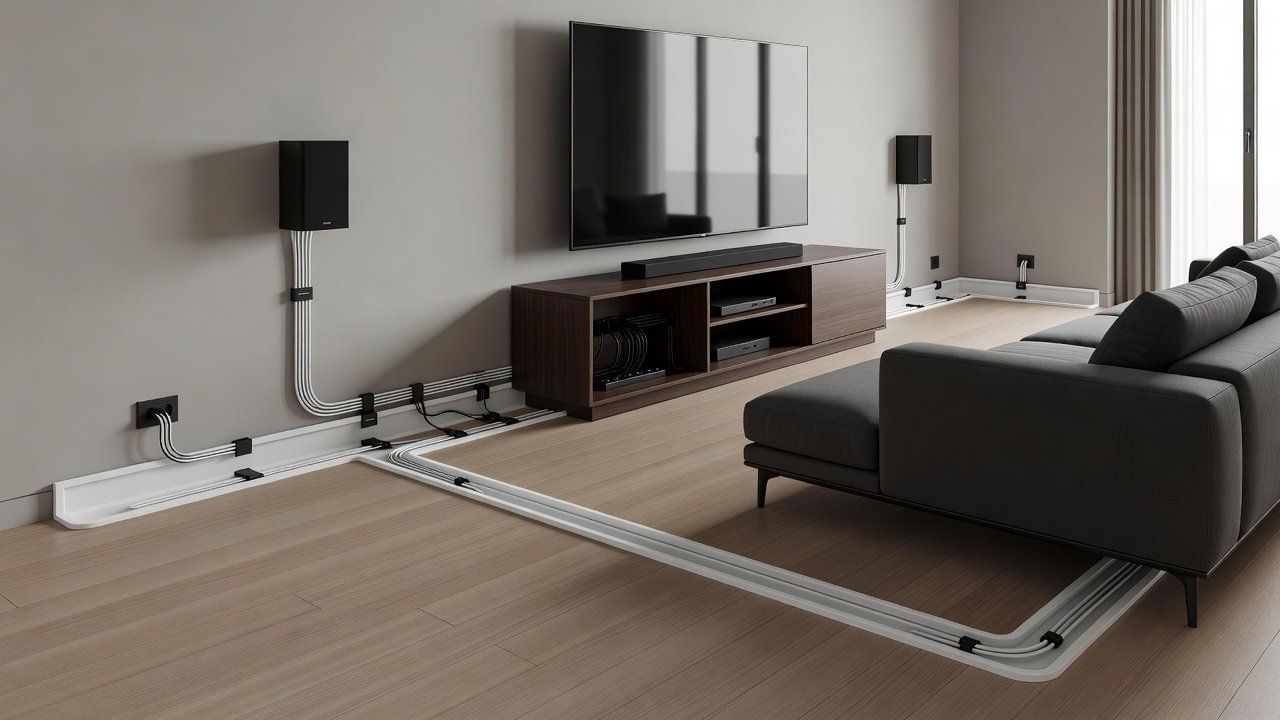
Exposed wires detract from aesthetics. Use cable raceways along baseboards or under rugs to hide HDMI, power, and speaker lines. Install wall plates with built-in conduits for a clean finish. Label each cable at both ends during setup to simplify future troubleshooting. For a polished result, route cables through existing baseboard gaps or behind floating shelves that double as media storage.
Power strips with surge protection should be concealed in media consoles. For advanced setups, incorporate cable sleeves or velcro ties to bundle excess lengths neatly. These steps keep the space functional and visually appealing. Always verify cable lengths before purchase to avoid excess loops that create tripping hazards or visual clutter.
Implementing Smart Lighting Controls
Lighting plays a crucial role in immersion. Install dimmable LED strips behind the screen or along ceilings to create bias lighting that reduces eye strain. Smart bulbs compatible with voice assistants allow preset scenes, such as "movie mode" that lowers ambient lights automatically. Integrate with whole-home systems for seamless control from a single app or remote.
Blackout curtains or motorized shades block external light during daytime screenings. Combine with motion sensors for convenience when entering the room. These controls enhance the theatrical feel without permanent alterations. Choose bulbs with adjustable color temperatures, shifting from warm 2700K for evening ambiance to cooler tones for pre-show setup.
Acoustic Treatments for Superior Sound Quality
Hard surfaces cause echoes that muddy audio. Add fabric-wrapped panels on side walls at reflection points, typically first determined by the mirror method where you sit and mark visible speaker reflections. Bass traps in corners absorb low frequencies effectively. Practical installation starts with mapping your room's acoustics using free smartphone apps that measure reverberation times.
Step-by-step installation: measure wall areas, cut panels to size, and mount with adhesive or brackets. Aim for 20 to 30 percent wall coverage to balance absorption and liveliness. This treatment transforms ordinary rooms into controlled acoustic environments ideal for dialogue and effects. Supplement with heavy drapes over windows or area rugs on hard floors to further dampen unwanted noise.
Comparing Budget and Premium Options
Budget approaches focus on entry-level projectors paired with soundbars for solid performance in smaller spaces. Premium paths include advanced laser projectors and full Atmos arrays for superior clarity and depth. Evaluate based on room size and usage frequency, starting with modular upgrades that allow scaling over time. Budget options often suffice for occasional viewing, while premium investments deliver noticeable improvements in color accuracy and dynamic range for dedicated cinephiles.
Both paths benefit from prioritizing core components like seating and basic acoustics first. This strategy delivers noticeable improvements progressively. Consider long-term factors such as energy consumption and warranty coverage when deciding between tiers.
2026 Trends for Immersive Yet Functional Spaces
Emerging trends highlight integration of AI-driven calibration tools that automatically optimize audio and video based on room conditions. Sustainable choices like recycled acoustic materials and low-power LED systems are gaining popularity. Voice-activated controls via major smart assistants allow hands-free adjustments during films, enhancing convenience for all ages.
Frequently Asked Questions on Remodeling Challenges
- How do I handle window light interference? Use layered window treatments including blackout shades combined with bias lighting to maintain contrast during projections.
- What if space is limited for speakers? Opt for in-wall or on-wall slim models that integrate without protruding into walkways.
- Are wireless systems reliable for surround sound? Modern wireless kits offer low-latency transmission, though testing signal strength in your specific layout is recommended.
- Can existing furniture work for theater seating? Yes, by adding supportive cushions and positioning strategically around the viewing focal point.
- How can I reduce echo in a room with high ceilings? Install ceiling clouds or hanging baffles alongside wall panels to target vertical reflections.
- What maintenance is needed for projector setups? Clean filters monthly and check bulb or laser life annually to ensure consistent brightness.
Conclusion
Creating a 2026-inspired home theater in your living room blends technology with thoughtful design for year-round enjoyment. By focusing on projectors, audio, seating, and subtle treatments, you achieve cinematic results that remain practical daily. Experiment with incremental changes to tailor the space to your preferences and viewing habits.
No comments yet. Be the first!