 Fixated on Home
Introduction to Holographic Displays in 2026 Smart Homes
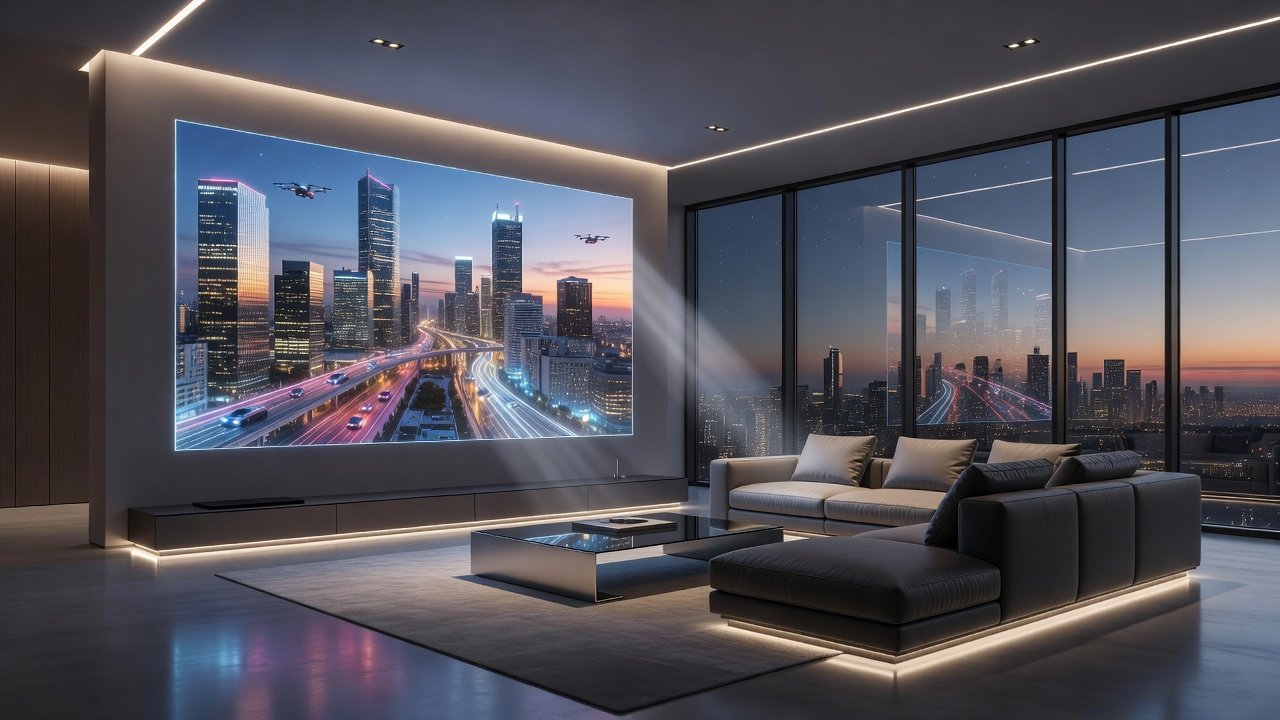
As homeowners seek innovative renovation ideas, holographic displays are emerging as a transformative element in smart home upgrades. These systems project three-dimensional visuals that appear to float in space, creating immersive environments without traditional screens. In 2026, blending this technology with modern home design allows for seamless integration that enhances aesthetics while delivering cutting-edge functionality. Homeowners are increasingly drawn to the way holograms can transform ordinary rooms into dynamic spaces for entertainment, work, or relaxation, all while maintaining the clean lines of contemporary architecture.
This guide provides practical steps for incorporating holographic projectors into your living spaces, focusing on energy efficiency, voice assistant compatibility, and phased renovation approaches. Whether updating a living room or creating a dedicated media area, these upgrades offer long-term benefits like reduced visual clutter and enhanced entertainment experiences. The technology has matured enough that integration no longer requires professional theater-level expertise, making it accessible during standard home renovations.
Selecting Energy-Efficient Holographic Systems
Choosing the right holographic projector starts with evaluating energy consumption. Look for models certified for low power draw, often using LED or laser light sources that consume less electricity than older projection technologies. Compatibility with smart home ecosystems ensures the system can be controlled alongside lighting and climate devices. Homeowners should examine specifications for lumens output, refresh rates, and heat generation, as these directly impact both performance and ongoing utility costs.
Key factors include resolution capabilities, viewing angles, and integration with protocols like Zigbee or Z-Wave. Homeowners should prioritize units that support automatic brightness adjustment based on ambient light to further optimize efficiency. For modern designs, slim-profile projectors that mount flush into walls or ceilings maintain clean lines. Consider systems that offer modular expansion so you can begin with one unit and add more later without replacing the entire setup. Real-world examples show that pairing projectors with smart power strips allows automatic shutdown when not in use, adding another layer of savings.
Voice Control Compatibility and Smart Integration
Voice assistants such as Amazon Alexa, Google Assistant, and Apple Siri play a central role in 2026 smart homes. Select holographic systems with native API support for these platforms, enabling commands like "Show ocean scene" or "Dim display." This integration extends to routines that sync holograms with music or security alerts. Advanced users can create custom scenes where the display activates based on time of day or occupancy sensors.
Testing compatibility during the selection phase prevents future frustrations. Many systems now offer multi-room synchronization, allowing a single voice command to activate displays across different zones of the home. Integration with broader platforms like Samsung SmartThings or Apple HomeKit provides additional flexibility for scheduling content or linking holograms to other devices such as motorized blinds. Practical testing in your specific environment is recommended because Wi-Fi interference can affect responsiveness in larger homes.
Step-by-Step Installation During Phased Renovations
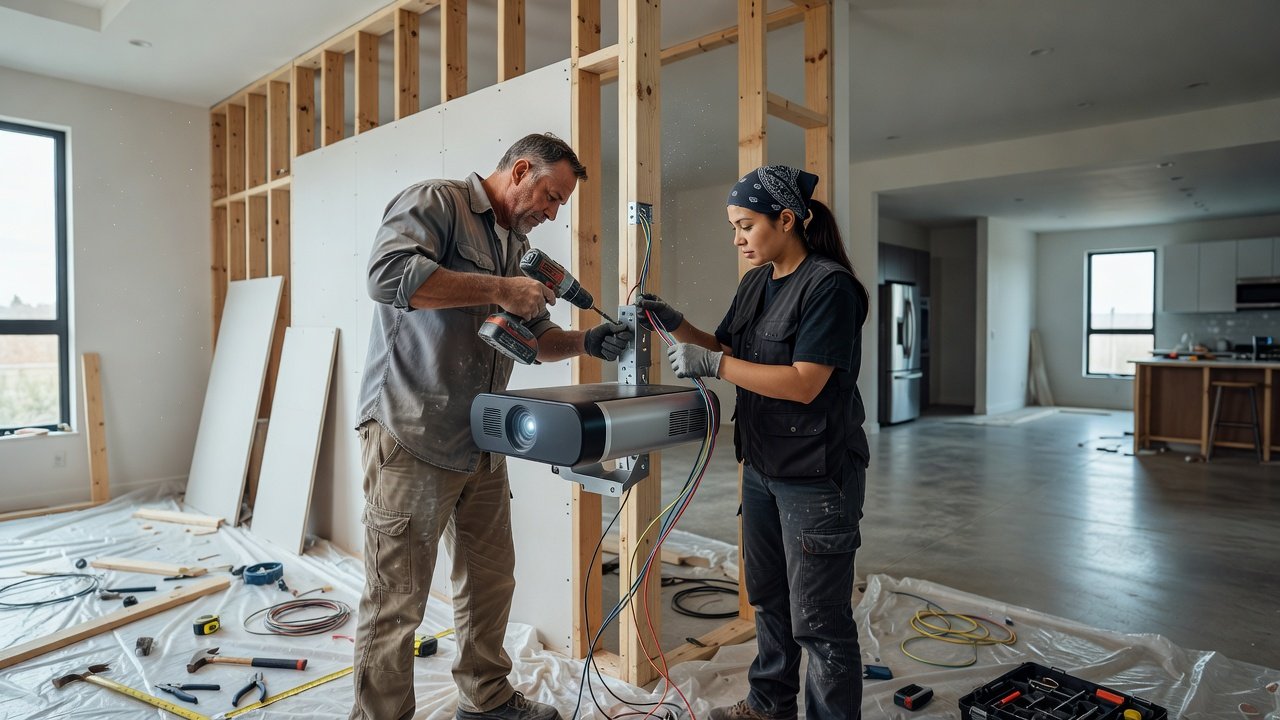
Integrating holographic projectors works best during phased renovations to minimize disruption. Begin by assessing wall or ceiling structures for mounting points and electrical access. Professional electricians can advise on load requirements and hidden conduit paths that preserve the finished look of your interiors.
- Plan the layout: Map projector positions relative to seating areas for optimal viewing angles. Consider sightlines from multiple furniture arrangements so the hologram remains effective whether you are hosting guests or relaxing alone.
- Upgrade wiring: Ensure dedicated circuits for stable power delivery, coordinating with electricians during early renovation stages. This step also includes running low-voltage control cables if your chosen system uses them.
- Install mounting hardware: Use adjustable brackets that align with modern minimalist aesthetics. Recessed installations hide most components while allowing easy access for future maintenance.
- Configure software: Pair the device with your smart home hub and calibrate projection mapping. Calibration apps on tablets make this process intuitive, letting you adjust keystone, focus, and color balance room by room.
- Test and refine: Run multiple scenarios to adjust focus and content libraries. Include daylight and evening conditions to verify performance across typical usage patterns.
Phased approaches allow testing one room before expanding, reducing overall project risk. Document each stage with photos for future reference or if you decide to sell the property later.
Comparing Holographic Displays to Traditional Screens
Traditional flat-panel displays occupy physical space and limit design flexibility. Holographic alternatives eliminate bulky hardware, projecting content directly into the room for a more dynamic visual impact. They excel in multi-use spaces where the display can be hidden when not in use, preserving clean architectural lines. In contrast, wall-mounted televisions often become focal points that dictate furniture placement.
While initial setup requires more calibration, the immersive quality surpasses 2D screens for entertainment, virtual meetings, and educational content. Energy use is often comparable or lower when using efficient models. Holographic systems also support interactive elements such as gesture controls that feel more natural than remote controls. The main trade-off is that very bright, sunlit rooms may still require supplemental blackout options during peak daylight hours.
Long-Term Benefits for 2026 Homes
Beyond immediate visual appeal, holographic displays deliver lasting value through adaptability. As content libraries grow, homeowners can repurpose the same hardware for new uses such as virtual art galleries or remote collaboration spaces. Reduced physical clutter also simplifies future redecorating projects. Over time, these systems contribute to a home that feels technologically current without requiring frequent hardware replacements.
Before-and-After Case Studies
Consider a suburban home where a standard living room TV was replaced with a holographic system during a full renovation. The before state featured a large mounted screen dominating the wall; afterward, the space gained an open, gallery-like feel with floating 3D art and video projections. Family members reported increased use of the room for both movie nights and casual video calls. Another example involves a compact apartment using ceiling-mounted projectors to transform a bedroom into an immersive relaxation zone without adding furniture. The owner noted that the system allowed seasonal content changes, such as winter landscapes in January or tropical scenes during summer months. A third case study from an urban townhouse demonstrated how a small home office benefited from holographic whiteboards that could be summoned or dismissed instantly, improving workflow without permanent fixtures.
These transformations highlight how holographic upgrades align with contemporary design trends emphasizing minimalism and technology.
Mistakes to Avoid During Installation
- Skipping professional electrical assessment, which can lead to unreliable performance.
- Choosing projectors without verifying viewing angles for your specific room layout.
- Neglecting software updates after initial setup, resulting in compatibility issues later.
- Overlooking acoustic treatments that enhance the immersive audio experience paired with holograms.
Addressing Privacy Concerns and Maintenance FAQs
Privacy: Holographic systems with built-in cameras for gesture control raise data security questions. Opt for devices with local processing and end-to-end encryption. Review manufacturer policies on data storage and consider models that allow camera disablement when not needed.
Maintenance: Regular lens cleaning and firmware updates keep systems performing optimally. Dust filters should be checked quarterly in high-traffic homes. Annual professional servicing is advisable for complex multi-unit installations.
Common questions: How long do projectors last? Most quality units provide 20,000+ hours of use. Are they suitable for bright rooms? Advanced models with high-lumen output handle ambient light well. Can content be customized? Yes, many platforms allow uploading personal images and videos. What happens during power outages? Battery backup options exist for critical smart home hubs.
Conclusion
Holographic displays represent a forward-thinking addition to smart home upgrades in 2026. By focusing on energy-efficient choices, voice integration, and careful installation planning, homeowners can achieve modern designs that feel both luxurious and practical. Explore resources from energy efficiency guidelines and technology standards bodies to inform your decisions. Start small with a single-room pilot to experience the benefits firsthand and consult environmental protection resources for additional sustainability insights.
No comments yet. Be the first!