 Fixated on Home
Introduction to Biometric Smart Home Controls
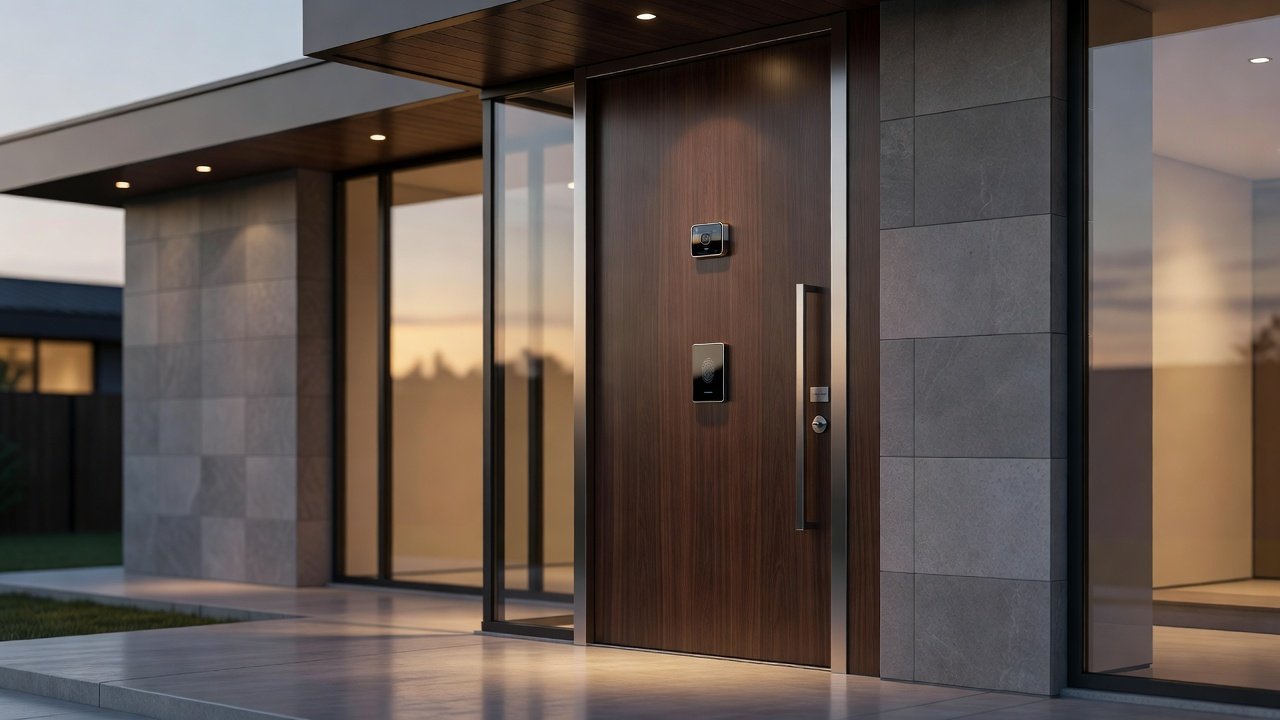
Homeowners renovating in 2026 are increasingly turning to biometric technology to elevate their smart home upgrades. Fingerprint scanners and facial recognition systems offer seamless personalization while strengthening security, replacing traditional keys and codes with your unique biological traits. This guide explores practical ways to incorporate these features into existing ecosystems, with actionable steps for device selection, installation, and privacy management. Biometric controls blend convenience and protection, allowing automatic lighting adjustments based on recognized faces or instant door access via fingerprints. As renovations modernize homes, these technologies address common pain points like lost keys or forgotten PINs, delivering a level of personalization that feels futuristic yet achievable today.
Integrating biometrics during a renovation project allows for hidden wiring and optimal sensor placement, creating a cohesive smart home that anticipates your needs. Whether updating a single entryway or overhauling an entire property, these upgrades provide measurable improvements in daily routines and overall property value.
Understanding Biometric Technology in Smart Homes
Biometrics in residential settings primarily use fingerprint recognition for door locks and facial recognition for integrated lighting or access systems. These methods authenticate users faster than passwords or key fobs. Fingerprint sensors analyze ridge patterns at multiple points, while facial systems map facial geometry using infrared cameras for low-light accuracy and 3D depth sensing to prevent photo spoofing. Advanced models now incorporate liveness detection, ensuring only live users trigger access. This technology has matured rapidly, making it suitable for mainstream renovations where reliability is paramount.
Compared to traditional controls like keypad locks or manual switches, biometrics reduce unauthorized entry risks and enable personalized experiences, such as a family member's preferred lighting scenes activating upon recognition. The shift eliminates the friction of carrying physical items or remembering codes, streamlining everything from morning exits to evening returns.
Key Benefits and Comparisons to Traditional Controls
Traditional key-based systems are simple but prone to loss, duplication, or forced entry. Keypads add convenience yet remain vulnerable to shoulder surfing or code sharing among multiple users. Biometric systems excel by tying access directly to the individual, creating detailed audit logs that show exactly who entered and when. They also support multi-factor options, combining biometrics with a PIN for extra layers during high-security periods. In practice, homeowners report fewer lockouts and faster household access, especially beneficial for families with children or frequent visitors. While initial setup takes more time than swapping a standard lock, the long-term reduction in maintenance and lost-key replacements makes biometrics a superior choice for 2026 renovations focused on modern smart home upgrades.
Selecting the Right Biometric Devices
When choosing devices, prioritize compatibility with major platforms like Apple HomeKit, Google Home, or Amazon Alexa. Look for locks supporting multiple fingerprints, anti-spoofing infrared, and weatherproof ratings for exterior doors. For lighting integrations, select hubs with built-in cameras capable of profile-based scene triggering. Consider factors such as battery life, backup power options, and mobile app quality for remote management.
- Research devices with independent accuracy certifications and user reviews highlighting real-world performance.
- Ensure support for over-the-air firmware updates to patch vulnerabilities promptly.
- Choose hybrid models that include physical key backups alongside biometrics for emergencies.
- Evaluate storage capacity for household size, with many systems handling 20-100 unique profiles.
Real-world examples include biometric door locks from Schlage and August that pair effortlessly with existing smart ecosystems, plus lighting systems from Philips Hue that respond to facial recognition triggers for customized ambiance in living areas or bedrooms.
Step-by-Step Installation Guide
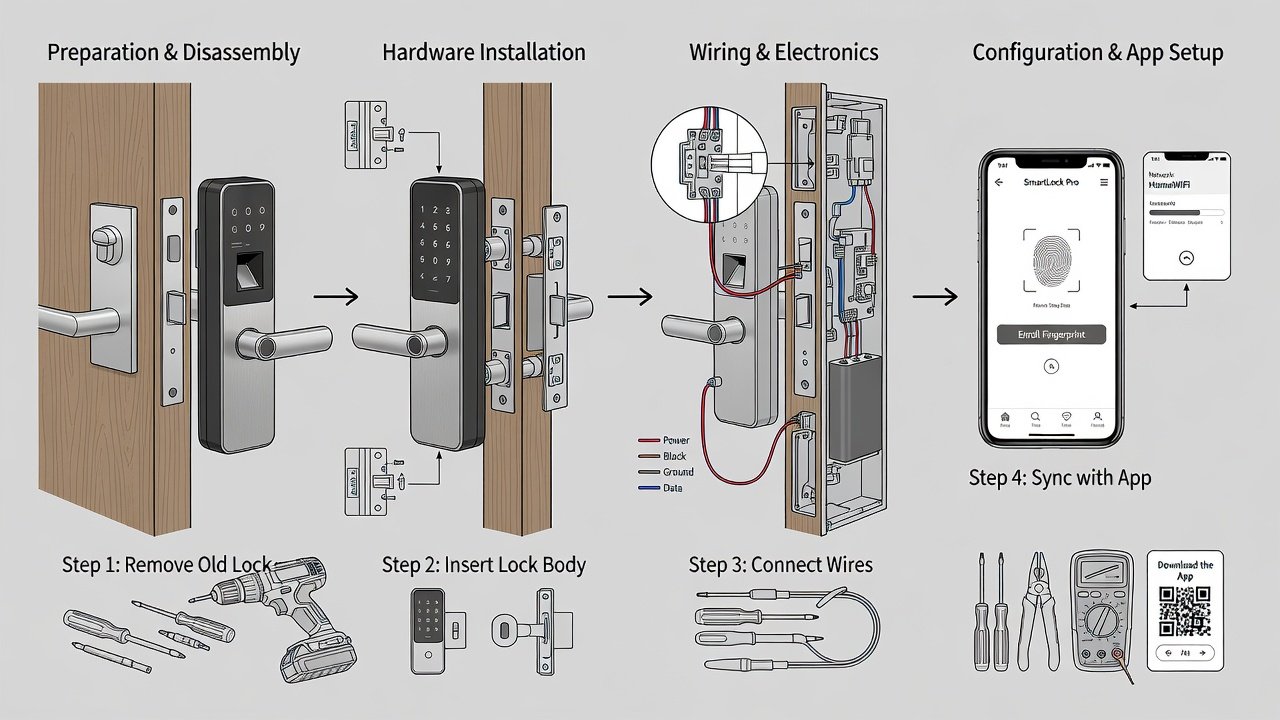
Installing biometric controls during renovations requires careful planning to avoid disrupting existing wiring or structures. Begin by mapping your current smart home layout and identifying high-traffic entry points or rooms where personalization adds the most value.
- Assess doors and lighting fixtures for structural compatibility and measure clearance for sensor modules.
- Power down relevant circuits and use manufacturer templates to mark precise mounting locations.
- Drill pilot holes, secure the hardware with provided anchors, and route any necessary low-voltage wiring through walls or conduits.
- Connect the device to your Wi-Fi network through the dedicated app and enroll each user's biometric data by following on-screen prompts for multiple scans.
- Configure automation rules, such as unlocking paired with lighting changes, then test all functions extensively including edge cases like poor lighting or gloved hands.
- Calibrate sensitivity thresholds and set up notifications for access events or failed attempts.
Professional installation is recommended for complex multi-device setups to guarantee sensor alignment and integration stability. Always verify local building codes before modifying entry points.
Ensuring Ecosystem Compatibility
Modern biometric upgrades must work seamlessly with your current smart home hub. Verify API support for creating routines that chain actions like simultaneous door unlocking and scene lighting. Cross-platform bridges help unify older devices with newer biometric additions during phased renovations. Test interoperability early to prevent isolated components that require separate apps.
Privacy and Security Considerations
Biometric data demands robust protection because it cannot be changed like a password. Store templates locally on the device whenever possible rather than relying solely on cloud servers. Review NIST guidelines on biometric standards for implementation best practices. Enable end-to-end encryption, implement strong network segmentation, and regularly audit access logs for anomalies. Additional resources from CISA provide actionable home cybersecurity frameworks, while FTC consumer protection pages offer guidance on data privacy rights when selecting vendors.
Real-World Examples and Renovation Ideas
Consider a suburban family home where a biometric front door lock replaced a traditional deadbolt, allowing parents automatic entry while restricting after-hours access for teens via profile settings. In another case, a kitchen renovation incorporated facial recognition lighting that dims to reading levels for one resident and bright task lighting for another, all triggered automatically. These examples demonstrate how biometrics turn routine renovations into highly personalized spaces that adapt to individual preferences without manual intervention.
Common Mistakes to Avoid
Many homeowners overlook backup power solutions, leading to lockouts during outages. Others skip thorough testing with all household members, resulting in recognition failures. Avoid placing sensors in direct sunlight or high-traffic areas prone to dirt accumulation, and never skip firmware updates that address emerging threats.
Future Outlook for 2026 and Beyond
As biometric hardware becomes more affordable and accurate, expect wider adoption in mid-range renovations. Emerging trends include multi-modal systems combining fingerprint and facial data plus integration with health monitoring for wellness-focused homes. Planning now positions your property at the forefront of smart home innovation.
Common Setup Challenges and FAQ
How do I handle multiple users in one household?
Most systems support enrolling up to 50 or more fingerprints or faces, with admin controls for adding or removing profiles easily through the app.
What if the system fails to recognize me?
Ensure clean sensors, adequate lighting for facial scans, and maintain backup methods like app-based or PIN access during troubleshooting and recalibration.
Are biometric systems safe for children and guests?
Yes, with supervised enrollment; temporary guest modes or time-limited profiles bypass full biometrics for short-term access without compromising core security.
Can I retrofit biometrics into older homes?
Absolutely—wireless battery-powered options minimize structural changes, making them ideal for budget-conscious renovations focused on smart home upgrades.
How often should biometric templates be re-enrolled?
Re-enroll every 12-18 months or after significant physical changes like injury or aging to maintain optimal accuracy rates.
Conclusion
Integrating biometric controls transforms smart home upgrades into personalized, secure environments. By focusing on compatible devices, methodical installation, privacy best practices, and ongoing maintenance, homeowners can achieve next-level convenience in 2026 and beyond. Start with a single lock or lighting integration to experience the benefits before committing to a full rollout across the property.

No comments yet. Be the first!